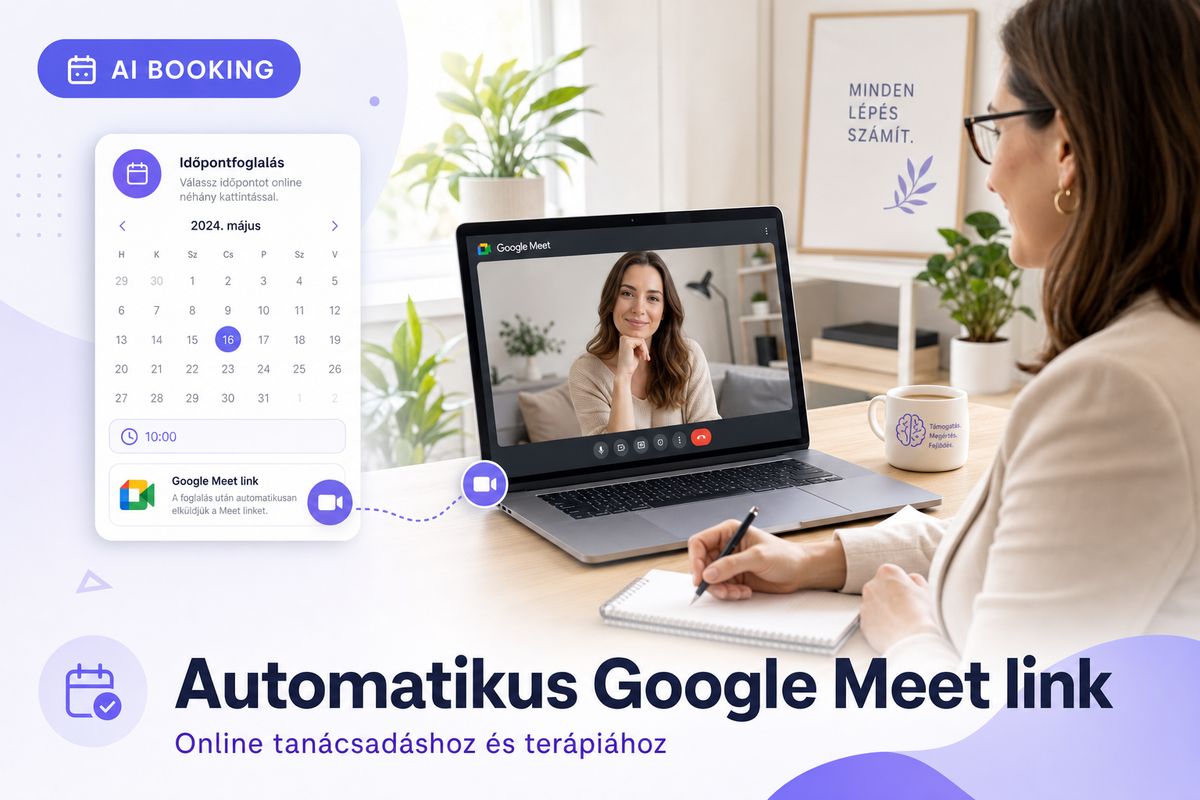
An online psychological consultation or counseling session starts off well when the client knows exactly where to click. Yet for many professionals, this is the most common friction point: sending the video call link separately, reminding the client, and then hoping they'll be in the right place at the right time. AI Booking automates this step: it creates the Google Meet link automatically for every online session and includes it in both the confirmation and the reminder. Let's look at how it works and why it makes life easier for professionals working with video consultations.
Why does the video call link cause problems with traditional booking?
If you keep track of your appointments on paper or in a simple calendar, a video session always takes an extra round. You have to book the time, then separately create the Google Meet or other video call link, and finally send it to the client by email or message. That's three separate steps, and any one of them can get skipped on a busy day.
The trouble starts when the client can't find the link. A few minutes before the session starts, the message comes in: "Where do I need to log in?" That's when you scramble to dig up the email, resend it, and the start of the conversation is already running late. In a consultation built on trust, this small hiccup arrives at exactly the wrong moment.
For online service providers, the technical side of the video call isn't a minor detail — it IS the "venue". If it's hard to get into the meeting, it's just as unpleasant as an in-person office door being locked. That's why it's worth taking this part entirely out of manual work.
How does AI Booking automatically create a Google Meet link?
In AI Booking, you can set for each of your appointments whether a given service takes place online or in person. When a client books an online appointment, the system automatically creates the Google Meet link for it and assigns it to that time slot. You don't have to generate, copy, or paste it anywhere yourself.
The link is automatically included in the confirmation email sent to the client, and it also appears in the reminder. So from the moment of booking, both parties have the entry point in hand. The client just has to click it at the right time, and they're already in the online room — no searching or separate coordination needed.
This covers the full range of video sessions: psychological consultation, online coaching, relationship counseling, mental health session, or any service that takes place remotely. The logic is the same: the booking is made, the link is generated, the client receives it.
Online and in-person sessions in one system
Many professionals work in a mix: some clients they see in person at their practice, others by video call. In AI Booking, you can manage these two types of appointments as separate services. For in-person appointments, the client receives the practice's address; for online sessions, the Google Meet link.
This matters because the two types of sessions have different logistics. An in-person session requires factoring in travel time, while an online conversation only needs a few minutes of preparation. If the system already knows at booking time which type it is, it sends out the right information, and you can also see clearly in your calendar what to prepare for.
From the client's perspective, the situation is clear: if they booked an online session, they don't have to think about where to go, and if they booked in person, they won't be searching for a video link that doesn't exist.
Automatic reminders — so no one forgets the appointment
The link alone isn't enough if the client forgets the appointment. That's why AI Booking sends an automatic email confirmation after booking, and a reminder before the appointment. In the Basic and Pro plans, an SMS reminder can also be enabled, typically 24 hours and 2 hours before the appointment.
This is especially valuable for video sessions. The no-show rate is often higher for online services, because the psychological brake of "I've already set off, it would be a shame to cancel" is missing. A well-timed reminder, with the ready-made login link included, fills exactly that gap. We wrote more about this in the in our article on reducing no-shows.
If something comes up for the client after all, they can cancel or reschedule the session in time via a secure, token-based link. This way you can offer the freed-up slot to someone else, instead of it staying empty.
Your calendar always up to date — no double bookings
If you offer both online and in-person appointments, double bookings can easily happen when you manage your schedule in more than one place. AI Booking uses two-way Google Calendar sync: bookings made in the system appear in your Google Calendar, and any event you add manually in your calendar blocks that slot from being booked.
Thanks to this, an online consultation can't clash with an in-person session or a private appointment. The bookable time slots always show your actual free slots. We've also written a separate article about the details of the sync: this is how you can prevent double bookings with Google Calendar sync.
Confidential notes and GDPR — what every consultant should know
In psychological and counseling work, notes kept about clients are especially sensitive. In AI Booking's guest CRM feature, every client has a card where the history of sessions and your own notes are in one place. This means you don't have to search through a separate notebook or scattered files before sitting down to talk with a returning client.
The system stores data encrypted on EU servers, in a GDPR-compliant way. This isn't a minor detail: it involves sensitive, health-related information, where the way data is handled is both a professional and a legal matter. Only you see your notes; the client manages their own booking data.
Online deposit and invoicing for video sessions
If you'd like to collect a deposit or the full fee at the time of booking for your video consultations, AI Booking supports this too. Online payment works through Stripe, Barion, and SimplePay, so the client can settle the fee by card. This not only makes your revenue more predictable, it further reduces no-show risk — someone who has already paid usually shows up.
We've written in detail about when it's worth asking for a deposit and how much, in the in our article about online payments and deposits. A kiállított számlát pedig a Billingo vagy a Számlázz.hu integrációval automatikusan elkészítheted, így a könyvelés is rendben marad anélkül, hogy minden alkalom után külön gépelnél.
Who benefits the most?
The automatic Google Meet link mainly helps those who regularly hold online sessions: psychologists, mental health professionals, coaches, relationship and life counselors, dietitians, or any provider who works with clients over video calls. The more online sessions you have per week, the more manual steps it saves you.
Managing online sessions is available even in the free plan, while the SMS reminder can be enabled in the Basic (2,900 Ft/month) and Pro (4,900 Ft/month) plans. Every plan comes with a 14-day free trial, no credit card required, so you can safely try it before deciding.
Try AI Booking
14-day free trial, no credit card required. Hungarian-language interface, Hungarian invoicing, Hungarian customer support.
Start free trial →